
Key challenges
FBA business growth led to increasingly complex tools.
Sellers needed enhanced reporting on customer returns, but existing tools lacked comprehensive insights.
Existing workflows were inefficient, requiring sellers to piece together data from multiple reports.
Optimizing Friction and Scale for Amazon Seller Central
Around 60% of Amazon sales come from third party sellers, and yet selling on Amazon is endlessly complex. Amazon FBA sellers use Seller Central to manage Inbounding shipments, inventory levels, customer returns and customer communication.Seller Central is the business hub that allows millions of sales to happen every day.
Designing for Amazon Seller Central is a massive UX challenge as our team was trying to turn an industrial-grade enterprise tool into an intuitive dashboard for millions of everyday small business owners.
Role
Led design for the returns experience, Shipment Management & Amazon Global selling, and other product listing UX.
Defined scope, evangelized the seller, and coordinated with global development teams.
Created frameworks, prototypes, and design principles.
Conducted usability testing and gathered seller feedback including Amazon FC Visits.
Partnered with product managers and researchers to identify seller needs.
Collaborated with two designers on inbound and in-stock tools.
Impact
Growing the Seller business means more selection for Amazon Customers.
Decreasing rate of return for sellers unblocked Sellers onboarding to FBA.
Design measured success through increase in HMD feedback score (Old UX vs. New).
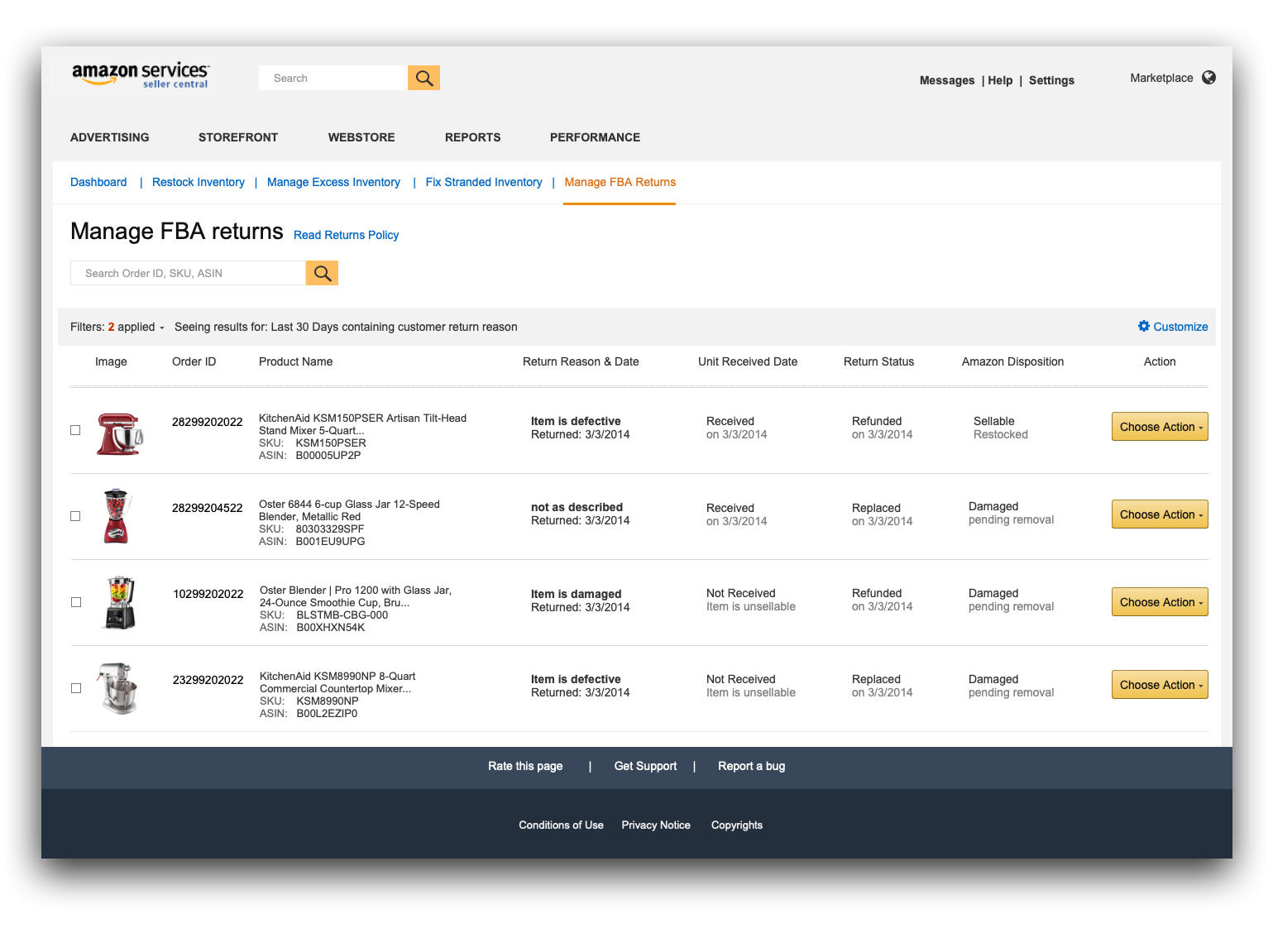

Meaningful insights
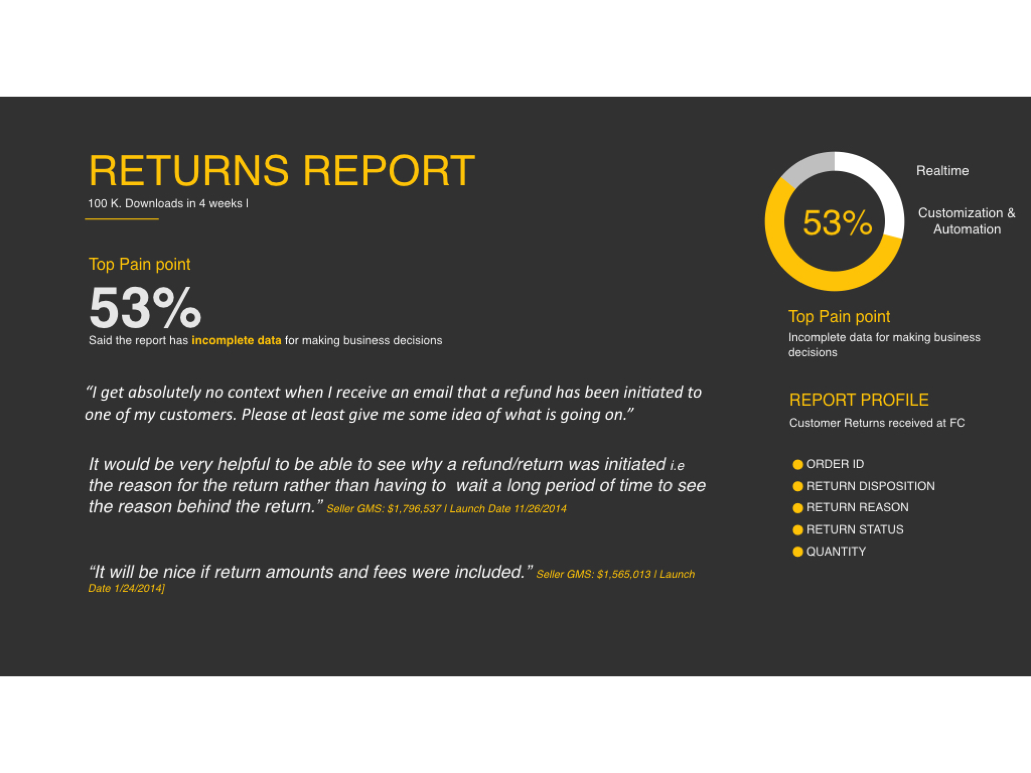
As the FBA business expanded, supporting tools became overly complex. Sellers severely lacked comprehensive insights into customer returns, hindering their ability to make critical business decisions.
I used this opportunity to study user needs and redesign the tools. The goal was to replace complexity with speed, delivering actionable insights that empower sellers to make pivotal choices instantly.
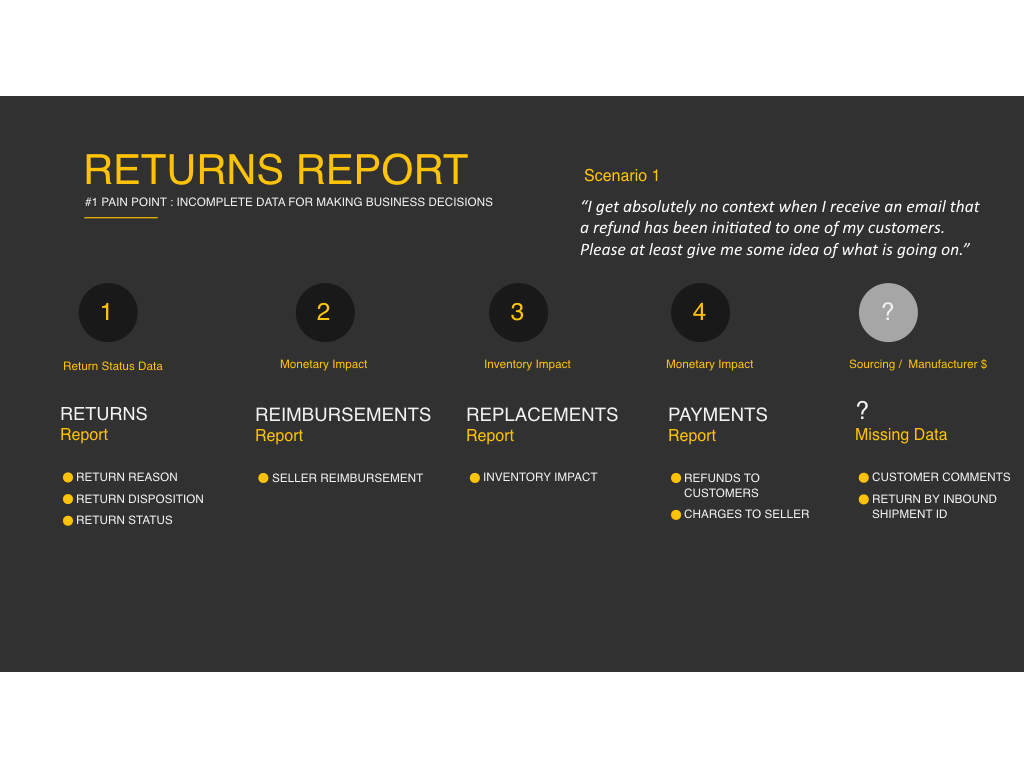
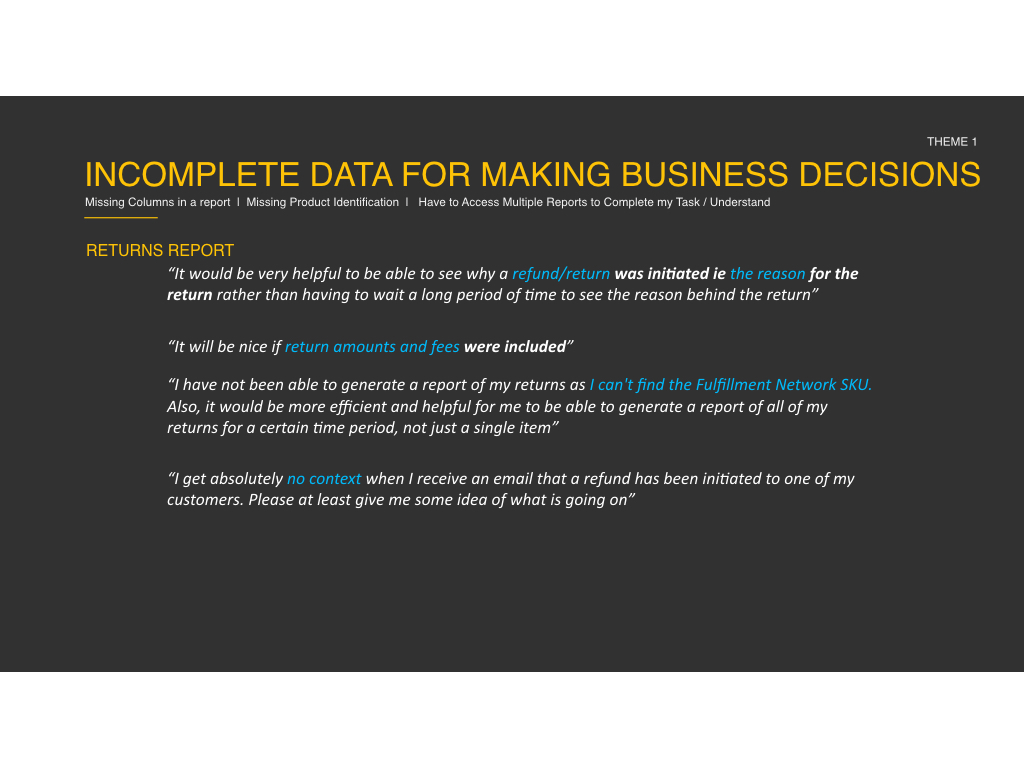
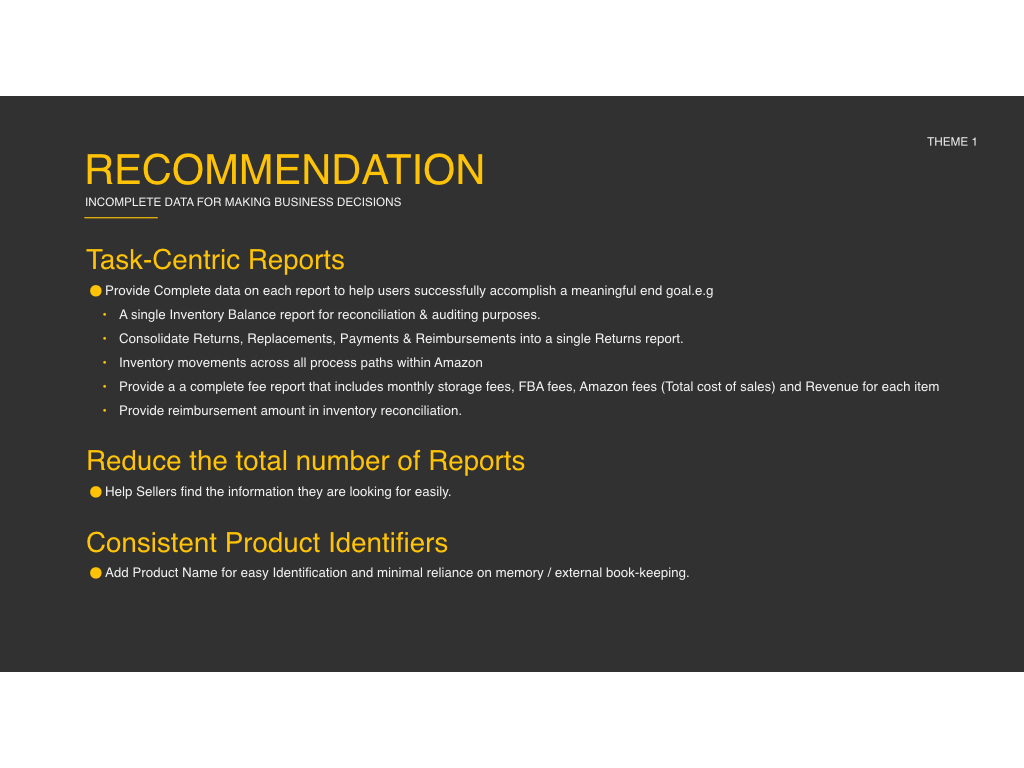
Below is a Seller deep dive I conducted using data and tools available.


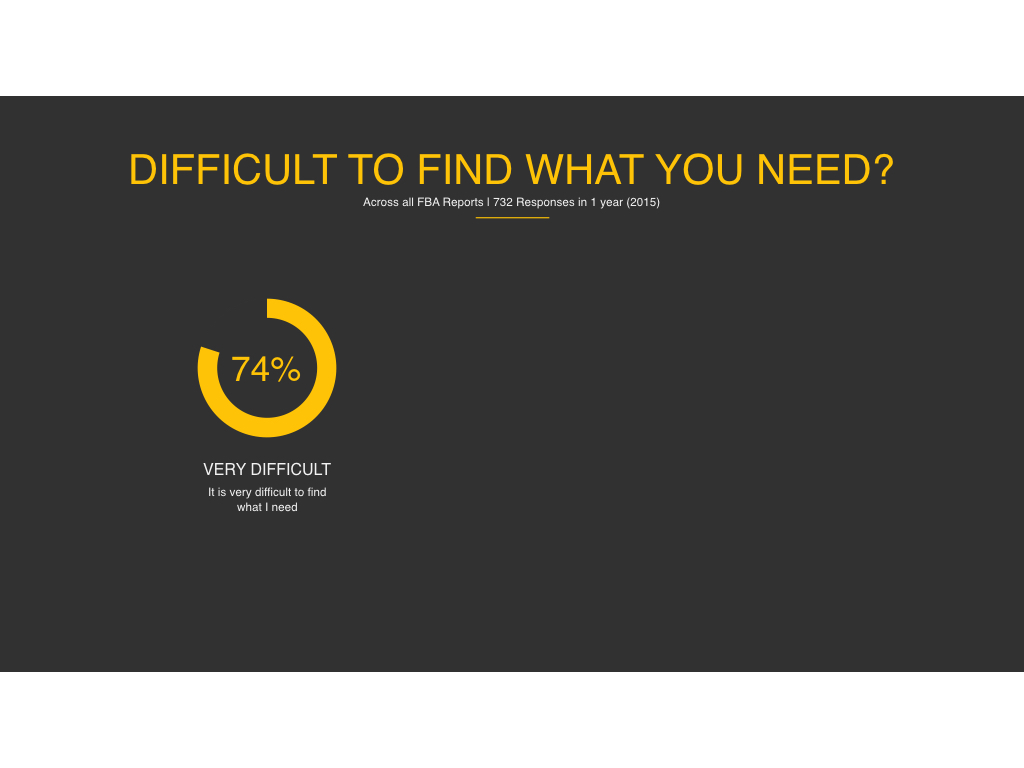

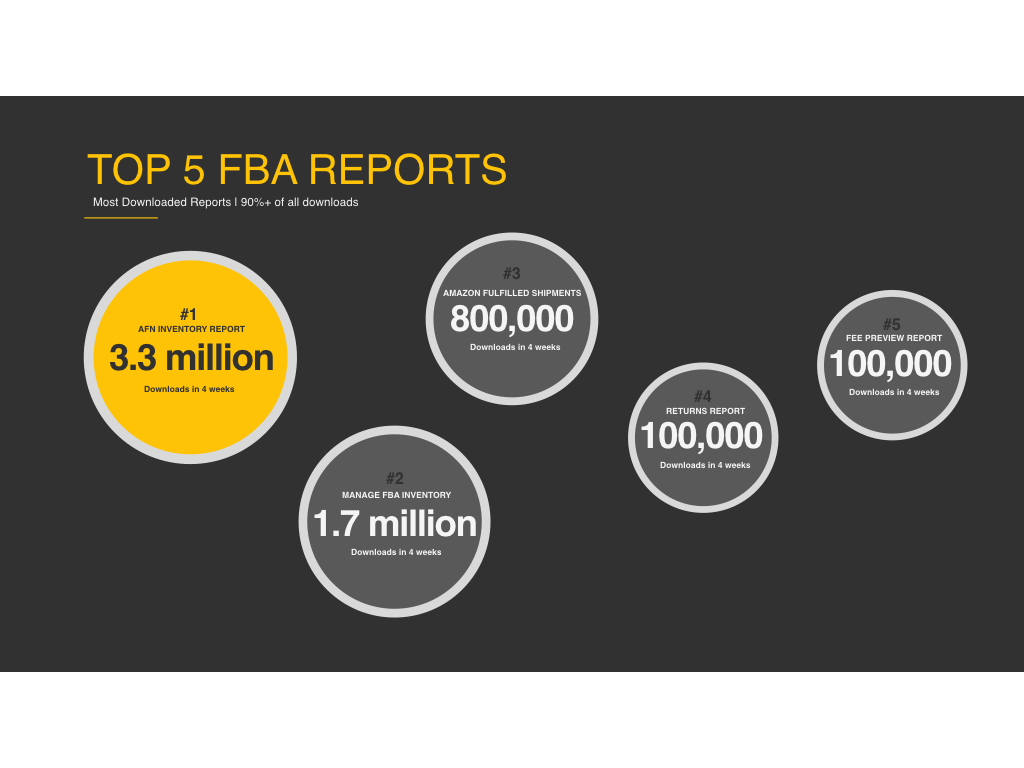
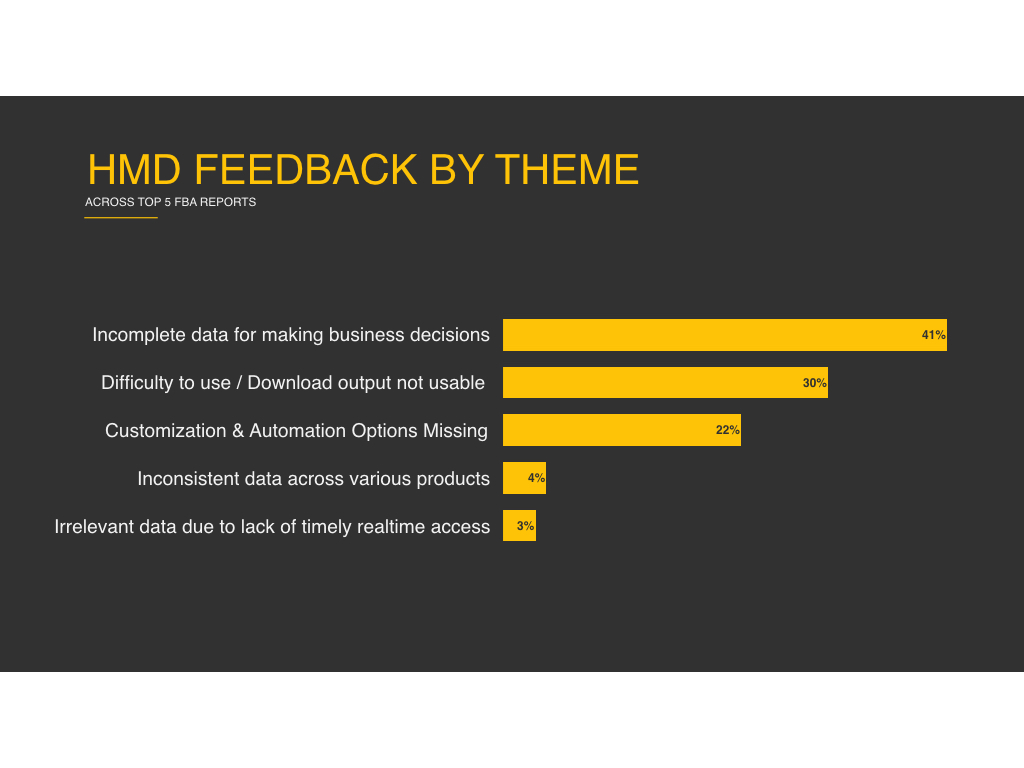
existing experience
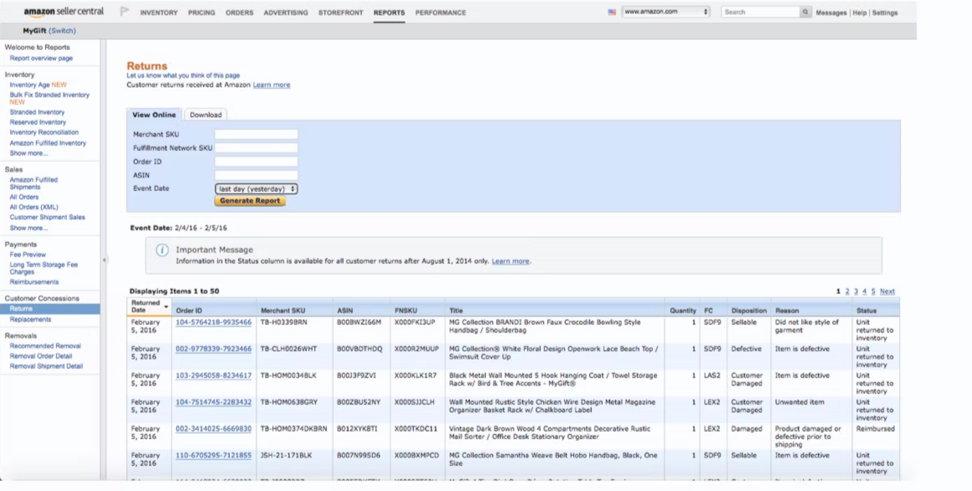
40 reports and growing
Our existing workflow presented a cascade of bottlenecks that demanded a thorough overhaul. Upon a customer initiating a return, FBA sellers encountered a lack of comprehensive insight via email and were compelled to sift through multiple reports, piecing together information manually.
Furthermore, a distinct call to action was absent, preventing them from preempting similar returns or gaining insight into the underlying triggers.
The vision
A centralized Suite
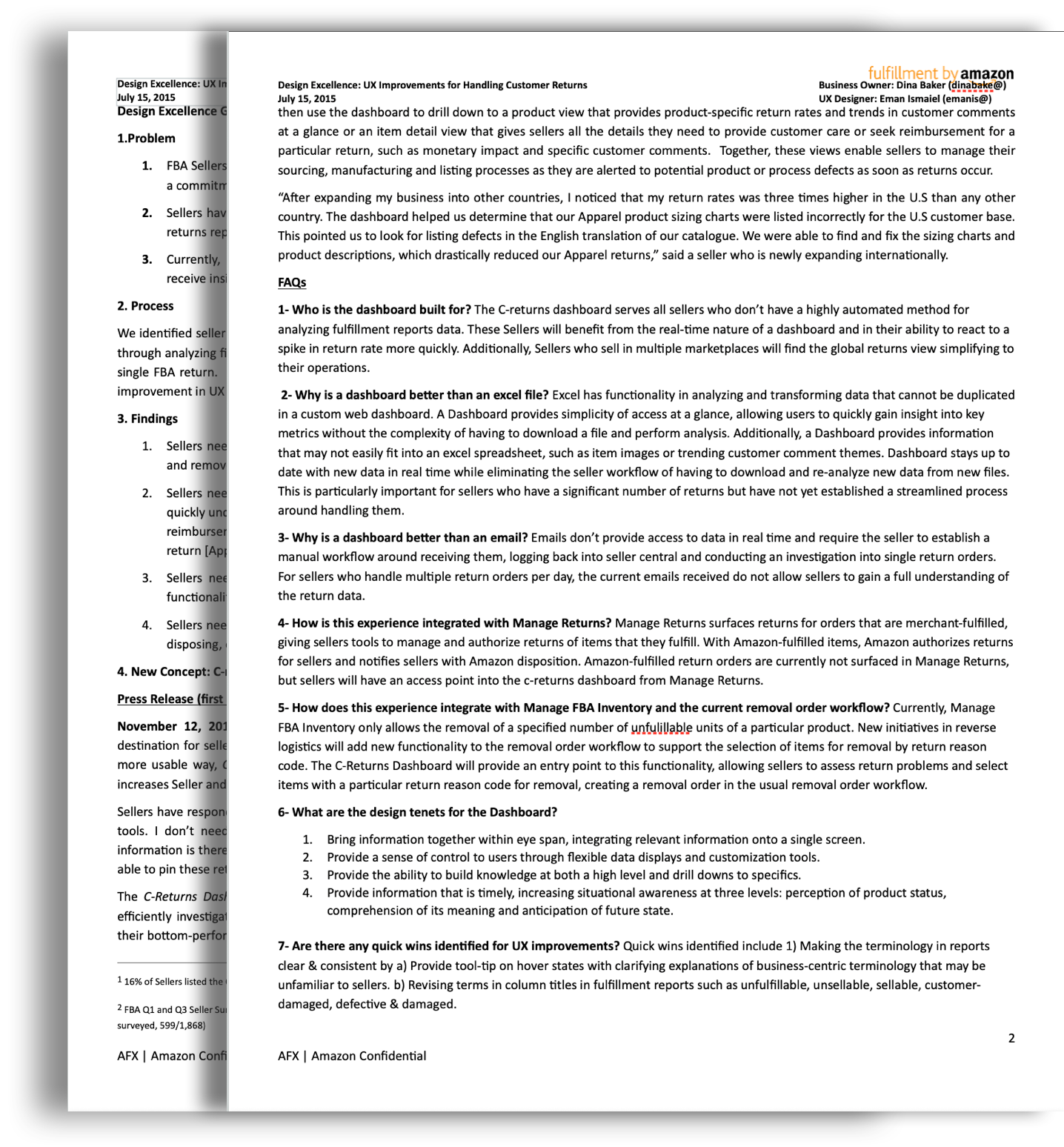
I envisioned a centralized suite of tools providing access to critical business analytics and task-oriented workflows.
Designed a new returns experience providing insights into return reasons, enabling sellers to make informed decisions and reduce return rates.
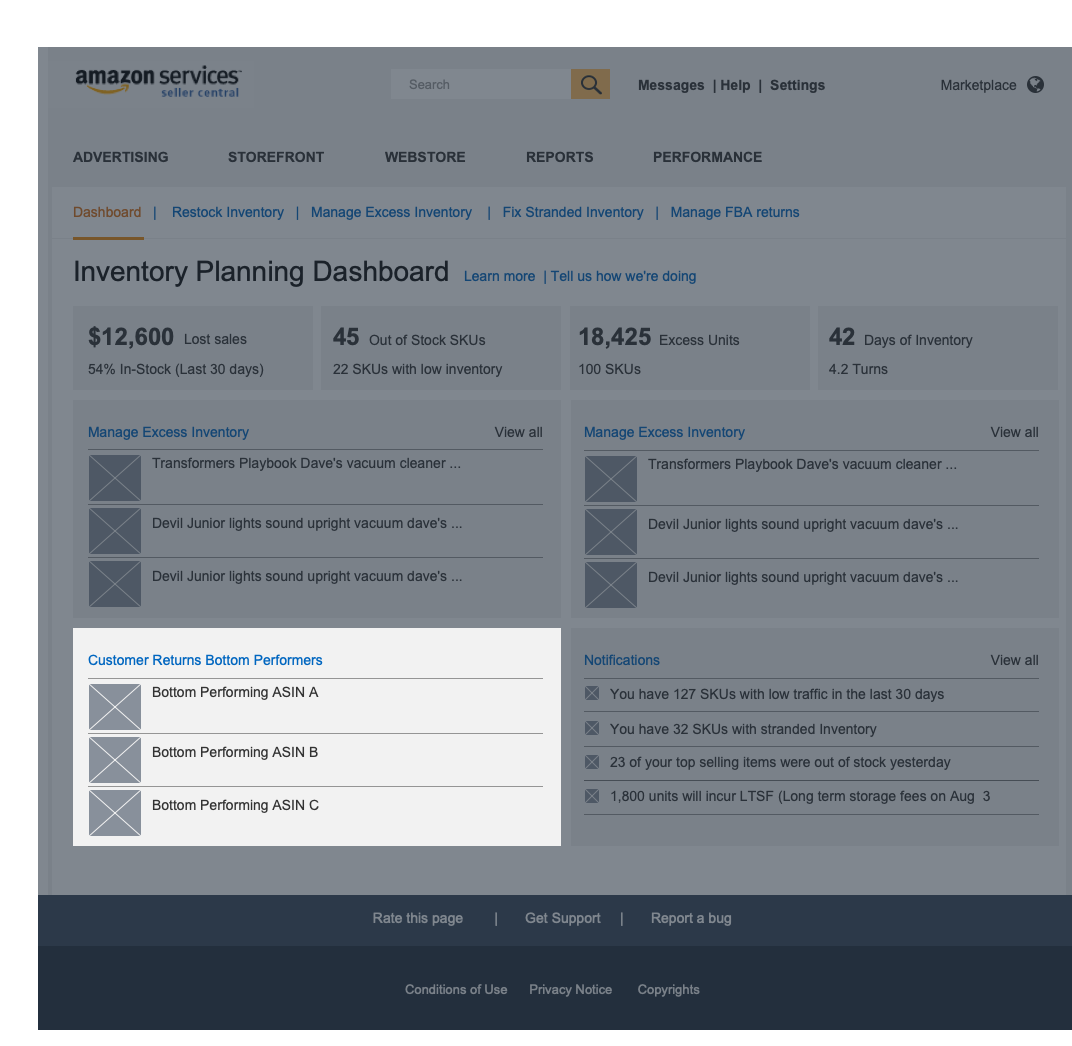
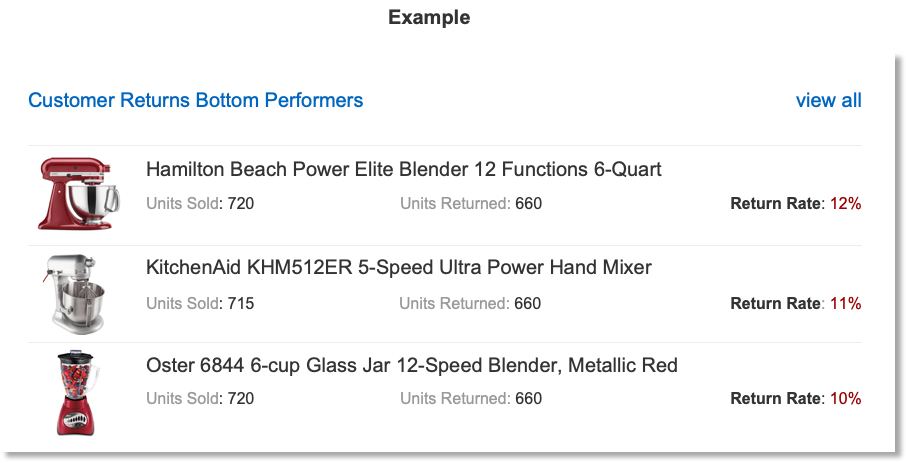
Enabled sellers to quickly identify bottom-performing products.
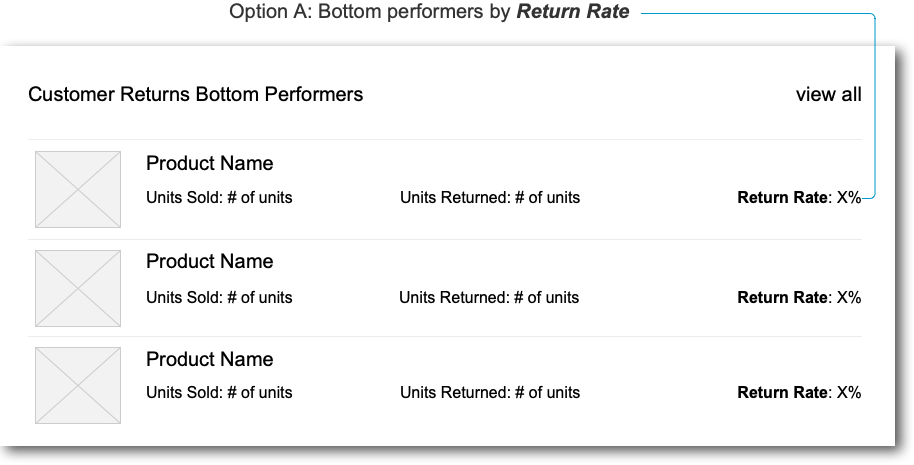
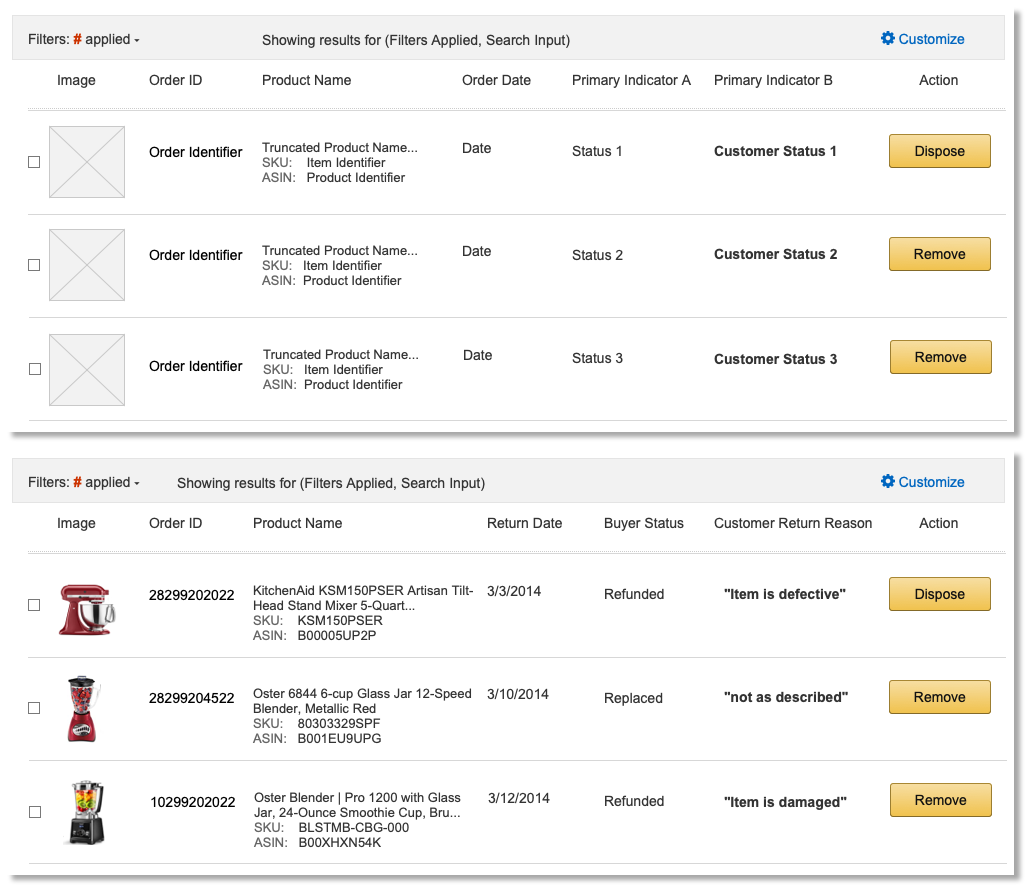
Implemented customizable tables with filters to display large datasets without overwhelming users.
Addressed terminology issues by providing tooltips and revising column titles.
User Research
“if we know why an item is returned, we will do whatever it takes to make it better. On our website, our return rate is 1%. On Amazon, it's 5%. We sell over $200k a month. That's $10k per month for Amazon for one seller. There is no reason Amazon returns should be 5 to 7 times our website returns. Our returns for MFN are even lower because we take the time to ask why an item is being returned what we can do to help. That level of detail for returns via FBA has to be provided.”
Amazon FBA Seller
“For the moment, the information we are getting is fairly basic and it doesn't enable us to do too much with it, so we are kind of guessing a lot of the time. If we had more detailed information we should make more decisions - we can go to supplier and give information about percentages of a product being turned back for particular reasons.”
Amazon FBA Seller
Design
Bottom performers
Rather than digging through monthly reports, Sellers are able to identify their bottom performing products at a glance, which would signal a deeper investigation into specific returns.
Design
Table displays
A key challenge in designing column displays for sellers is that no two sellers will agree on which metrics are most important. As each seller manages their business differently, a framework that allowed for customization controls and filters enabled us to display a large set of data without overwhelming users with irrelevant information.
3.8 8.1
Results
Significant improvement in seller feedback on "Manage your FBA Returns (from 3.8 to 8.1 rating).
Inventory suite became the highest-rated experience on Seller Central.
Empowered sellers with increased transparency and easier access to return information.
"I appreciate the increased transparency with FBA returns. Some of this information was previously unavailable to sellers. It's much easier here and to see the outcome of old returns " - Amazon FBA Seller

Next project
Or continue reading about what I learned on this project below. Keep scrolling!
What I learned
Defining what’s viable
Balancing design progress with collaboration across global teams is crucial.
Defining guardrails around viable solutions is necessary, even when user feedback is prioritized.
Web-based tools can provide real-time data access and analysis that excels has limitations with.
Clear and consistent terminology is essential for user understanding.